

Most deals are not lost to a better competitor. They are lost to silence. A rep who sent one email, got no reply, and moved on. The prospect was not uninterested. They were busy, distracted, or just needed one more nudge.
Automating sales follow-ups fixes this. It makes sure every prospect gets consistent, timely outreach, not just the ones whose names a rep happens to remember on a given day.
This guide covers how to automate sales follow-ups in 2026: when to send them, what to write, and how AI is changing what follow-up automation can actually do.
Why Follow-Ups Get Skipped
Ask any sales manager why their team's follow-up rate is low and you will get the same answers: too many leads to track, not enough time, CRM hygiene is a mess, and reps are focused on the accounts that already replied.
The math is simple. A rep managing 200 active prospects cannot manually remember which ones need a nudge on day 5 versus day 10 versus day 14. So they follow up with whoever they remember, which is usually whoever replied most recently, meaning cold prospects get colder.
Automation removes the memory problem. Every prospect gets followed up with, on schedule, regardless of how many others are in the pipeline.
What Automating Sales Follow-Ups Actually Does
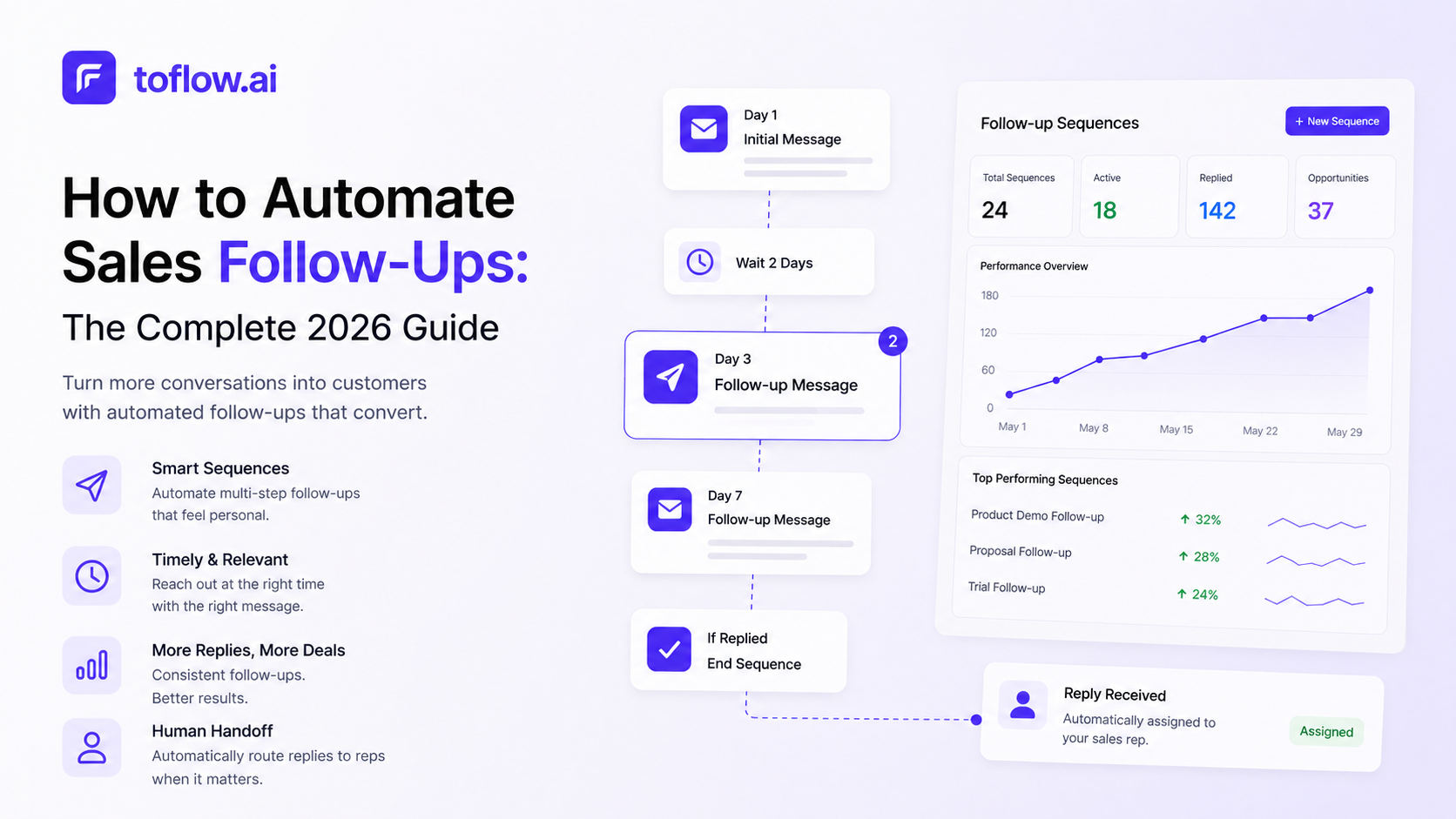
A follow-up automation system does three things:
- Tracks where every prospect is in the sequence. Who got the first touch, who got the second, who replied, who went quiet.
- Sends the next message at the right time. Based on elapsed days, engagement signals, or both.
- Stops when it should. Pausing automatically when someone replies, books a meeting, or asks to be removed.
The best systems also adapt. If a prospect opens your email four times without replying, that is a signal worth acting on. A follow-up with a different angle, a LinkedIn message, or a direct call. Dumb automation sends the same next message regardless. AI follow-up systems respond to behavior.
Follow-Up Timing: When to Send
Timing matters more than most people realize. Research consistently shows that most replies come after the second or third touch, but most reps stop after one.
A proven follow-up schedule for cold outreach:
- Day 1. First touch (email, LinkedIn message, or both)
- Day 3–4. First follow-up. Short, adds a different angle or a piece of value: a relevant case study, a stat, a question
- Day 7–8. Second follow-up. Even shorter. Reference the previous messages briefly, ask a direct question
- Day 14. Third follow-up. The "breakup" message. Acknowledge you have reached out a few times, keep it light, leave the door open
For warm leads who have engaged with your content, visited your pricing page, or attended a webinar, compress the timing. Strike within 24 hours of the engagement signal while intent is high.
What to avoid:
- Same-day follow-ups, which tend to feel aggressive and push prospects away
- Following up more than once in the same channel on the same day
- Waiting more than 3 days between early touches. Momentum dies fast.
What to Write in Follow-Up Messages
The biggest mistake in follow-up copy is restating the original pitch. The prospect already received it. Saying it again does not add new information, it just adds noise.
Good follow-ups do one of the following.
Add a different angle. If your first email led with time savings, the follow-up can lead with a specific customer result. Different frame, same product.
Reference something relevant. A news item about their industry, a post they published, a trigger event like a funding round or hiring spike. Something that shows you are paying attention, not just running a sequence.
Make it shorter. Follow-up messages should get shorter as the sequence progresses. The fourth message should be two sentences maximum.
Ask a direct question. "Is this relevant to what you are working on right now?" gives someone an easy way to reply. Yes or no both move the conversation forward.
Be honest about where you are. "I have reached out a couple of times. I do not want to be a pest, but I genuinely think this could help your team" lands better than a fourth identical pitch.
Automate Sales Follow-Ups Across Email, LinkedIn, and WhatsApp
Single-channel follow-up sequences hit a ceiling. Some people live in email. Others check LinkedIn more. A growing number of B2B buyers prefer WhatsApp for short messages.
The best automated follow-up systems coordinate across all three channels in a single multichannel sequence, not three separate campaigns running in parallel, but one sequence that shifts channels based on where the prospect engages.
An example multichannel follow-up sequence:
- Day 1. LinkedIn connection request with a short note
- Day 3. Email: first pitch
- Day 5. LinkedIn message after connection accepted
- Day 8. Email follow-up: different angle
- Day 12. LinkedIn follow-up or WhatsApp if available
- Day 18. Final email: breakup message
The unified inbox matters here. If a prospect replies on LinkedIn while you are running an email follow-up on day 8, the sequence should stop automatically and route the reply to your inbox, not keep sending.
AI Follow-Up Systems: What Is Different
Traditional follow-up automation executes a fixed schedule. The sequence fires on day 3, day 7, day 14, regardless of what the prospect has done in between.
AI follow-up systems watch behavior and adapt.
Engagement-based timing. If a prospect opens your email five times in two hours, the AI knows to follow up sooner. If they open nothing after 10 days, the system adjusts.
Channel switching. If email follow-ups get no engagement, the system moves outreach to LinkedIn or WhatsApp rather than sending a fifth email nobody is reading.
Personalized follow-up copy. Instead of sending the same template to every non-responder, the AI uses enriched contact data to write a follow-up that references something specific: the prospect's industry, a recent company event, or a shared connection.
Auto-pause on reply. When a prospect replies on any channel, all follow-ups across all channels stop immediately.
toflow's follow-up agent does all of this. It monitors every conversation, tracks engagement signals across email, LinkedIn, and WhatsApp, and sends the right message at the right time, without a rep having to manually check who needs a nudge.
Connecting Follow-Up Automation to Your CRM
Automated follow-ups only stay useful if your CRM reflects what is happening. If a prospect replies, that reply needs to log in Salesforce or HubSpot. If they book a call, the deal stage should update. If they unsubscribe, the sequence should stop and the record should flag.
Without CRM sync, you end up with a sequence tool that works and a CRM that does not reflect reality, which means your pipeline data is wrong and reps are making decisions on stale information.
toflow.ai syncs every follow-up sent, reply received, and engagement event back to your CRM automatically. No manual logging. No data entry.
Setting Up Automated Follow-Ups: Step by Step
Step 1: Define what triggers a follow-up sequence. New leads entering the pipeline? Prospects who attended a demo but did not convert? Contacts who went quiet after initial interest? Each of these needs a slightly different sequence and timing.
Step 2: Write your sequence. 3–5 touches across the timeline above. Vary the angle with each message. Shorter as the sequence progresses.
Step 3: Set your stop conditions. The sequence pauses when the prospect replies, books a meeting, clicks an unsubscribe link, or reaches a manually set status in your CRM.
Step 4: Add engagement triggers. If your tool supports it, set faster follow-up when the prospect opens an email more than once, visits your pricing page, or connects on LinkedIn.
Step 5: Test with a small batch first. Before sending to 500 prospects, test with 20–30 to see which messages are getting opens and which follow-ups are driving replies. Iterate before scaling.
Step 6: Review replies in a unified inbox. Make sure all replies from email, LinkedIn, and WhatsApp land in one place. The fastest way to lose a warm prospect is to miss their reply because it came in on a channel you were not watching.
What Good Follow-Up Metrics Look Like
Open rate on follow-up emails. 35–55% is solid for a warmed domain. Below 25% usually means deliverability issues.
Reply rate across the full sequence. 5–15% for cold outreach. Warm sequences should be higher, around 15–25%.
Reply rate by message position. Most replies come on touch 2 and touch 3. If you are seeing replies only on touch 1, your follow-ups are not landing.
Positive reply rate. Not all replies are good. Track the percentage that move toward a meeting versus opt-outs and "not interested." If positive reply rate is low but total reply rate is normal, the issue is targeting or message angle.
The Bottom Line
Follow-up is where most pipeline gets abandoned. The prospects who would have converted with one more message, the warm leads who needed a nudge, the interested buyers who got distracted. All of them needed a follow-up that never came.
Automating sales follow-ups is not about sending more emails. It is about making sure every prospect gets the consistent, timely outreach they deserve, and that your reps spend time on replies, not reminders.
If you want an AI system that monitors your conversations, detects engagement signals, and sends the right follow-up at the right time across email, LinkedIn, and WhatsApp, book a demo. 2 weeks free, no credit card required.
Frequently asked questions
How many follow-up messages should a B2B outreach sequence have?
Most B2B sequences run 3 to 5 touches over 10 to 18 days. The first follow-up typically drives the highest incremental reply rate, often matching or exceeding the opening message. Messages should get shorter as the sequence progresses, and each touch should introduce a different angle rather than repeating the original pitch.
What is the difference between automated follow-ups and AI follow-ups?
Automated follow-ups execute a fixed schedule: message on day 3, day 7, day 14, regardless of what the prospect has done in between. AI follow-ups adapt based on engagement signals. If a prospect opens an email multiple times, the system follows up sooner. If they show no activity, it adjusts the channel or timing. The result is outreach that responds to behavior rather than a timer.
Which metrics should I track for follow-up sequences?
Track open rate (35 to 55 percent is healthy for a warmed domain), reply rate across the full sequence (5 to 15 percent for cold outreach), reply rate by message position to see which touch is driving responses, and positive reply rate separately from total reply rate. A normal total reply rate with a low positive reply rate usually indicates a targeting or messaging angle problem.
Should follow-up messages go out on all channels simultaneously?
No. Multichannel follow-up should be coordinated in a single sequence, not three parallel campaigns. A well-structured sequence shifts channels based on where the prospect engages. If email follow-ups get no traction, the next touch moves to LinkedIn or WhatsApp. If a prospect replies on any channel, all follow-ups across all channels should pause automatically.